- Practical Prospecting
- Posts
- 132: 5 Ways to Find Your Competitors Customers
132: 5 Ways to Find Your Competitors Customers
These 5 tactics work across every industry and every ICP

Jed Mahrle
November 23, 2025
Welcome back to The Practical Prospecting Newsletter!
Today, I’m sharing 5 methods you can use to find people using your competitors and/or engaging with them.
These are the 5 actual strategies we use for our clients here at Practical Prospecting.
Before we jump in, ZoomInfo built a 2-minute AI Readiness Assessment (based on MIT research + thousands of customers) that scores you across the 12 factors that predict AI success. Check it out here!
Agenda
Method #1: Review Sites
Method #2: Social Engagement
Method #3: Tech Stack Data Providers
Method #4: Web Scraping
Method #5: Job Postings
P.S. If you want us to build systems like this for your team, you can book time here.
Method #1: Review Sites
Review sites are the best place to find frustrated customers of your competitors who have the highest intent of switching.
The only downside is that the volume is usually low. But it’s worth checking 1x/month or 1x/quarter.
To scrape reviews of your competitors, I recommend using Apify.
Here are the scrapers I use for each review site:
Apify G2 Crowd Scraper - $10 per 1,000 reviews scraped
Apify Trust Radius Scraper - $20/mo
Apify Capterra Scraper - $9/mo
Review sites give you limited data, but here’s an AI prompt you can use to match the review to an actual contact.
From there, you can enrich them for an email/phone/LinkedIn profile and reach out.
Method #2: Social Engagement
There are a few ways to find prospects engaging with or following your competitors on LinkedIn.
My favorite method is Trigify.io — a social listening tool.
In Trigify, you can set up alerts for any time someone mentions your competitors or engages with one of your competitors’ social accounts across LinkedIn, X, Reddit, and YouTube.
From there, you can push those leads to a Slack channel OR into a Clay table to automatically enrich the lead for an email, then push them to a campaign.
You can also find a lot of competitor engagement straight from LinkedIn’s UI.
Here’s how:
Go to the LinkedIn search bar
Enter the job title you want to prospect
Enter the location and industry you want to prospect
Go to “Followers of”, then enter the Founder or key influencer at your competitor
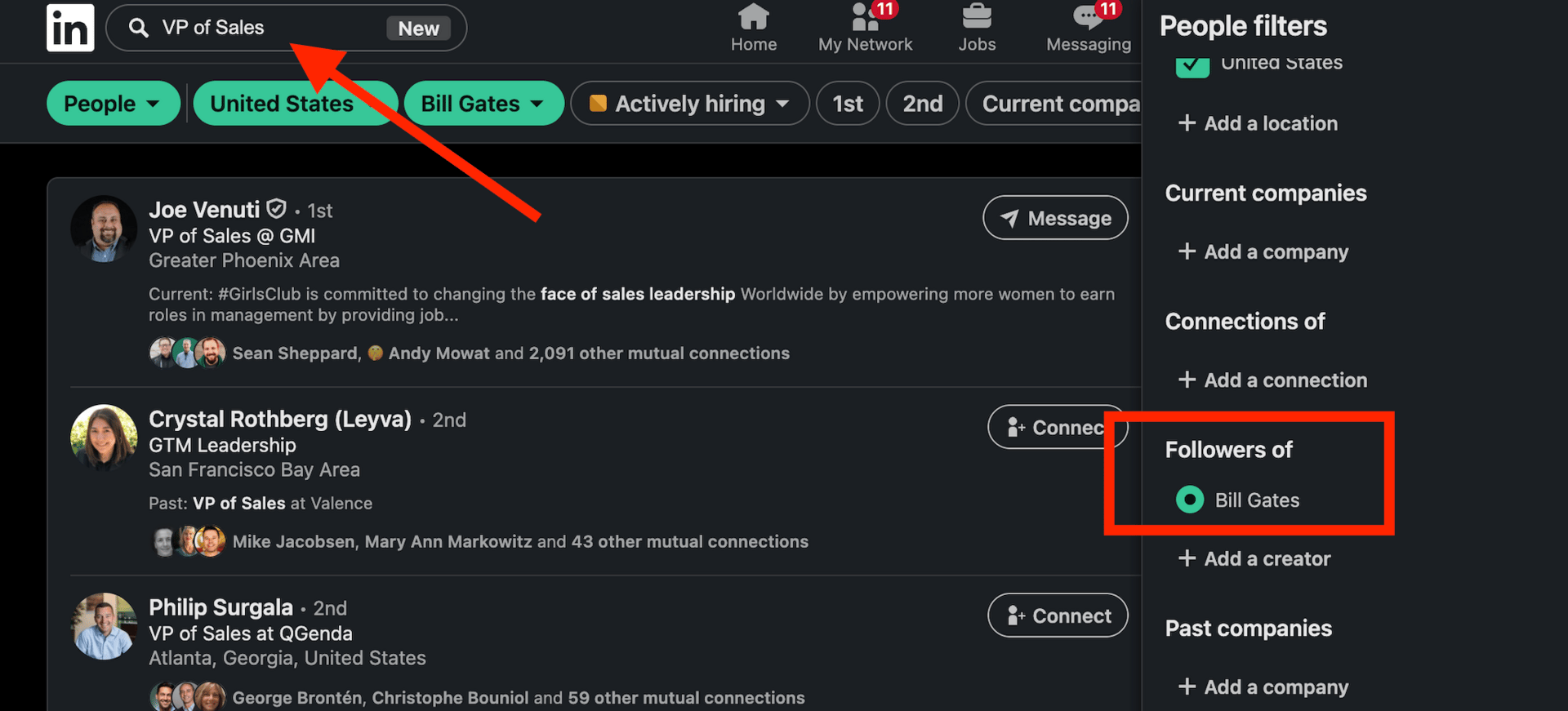
One other sneaky way to find your competitors’ LinkedIn followers (and you didn’t hear this from me) is to update your LinkedIn profile to say you work for that company.
Then go to Sales Navigator > “Following my company” > and scrape the list.
Then change your LinkedIn back :)
Have I done this a few times before? Yes.
Would I recommend it? Eh… up to you!
Method #3: Tech Stack Data Providers
Tons of data providers have proprietary tech stack data. I’ve used almost every one of them.
But in my experience, ZoomInfo has the best tech stack data. And no, I’m not just saying this because they’re today’s sponsor :)
I prefer ZoomInfo’s tech stack data over the others for two reasons:
They have data on the widest range of tech
They even have a “Technology added” filter, which lets you see when (roughly) that tech was added. So you can guess when their renewal date is up.
Here’s an example:

ZoomInfo’s “Technologies Search” Feature
Here are a few other options:
6sense
Demandbase
Clearbit
Apollo
HG Insights
Method #4: Web Scraping
A lot of tech stack data can be pulled directly from a company’s website.
BuiltWith is by far the best tool for this.
Just enter the technology you’re looking for, and BuiltWith will show you every company on the internet where that script or tag was detected. You can even see when it was first identified, which helps estimate renewal timing.
The limitation: if you sell something that doesn’t load a script on the web (ERP, ATS, etc.), you’ll need 1st-party technographics instead (like in Method #3).
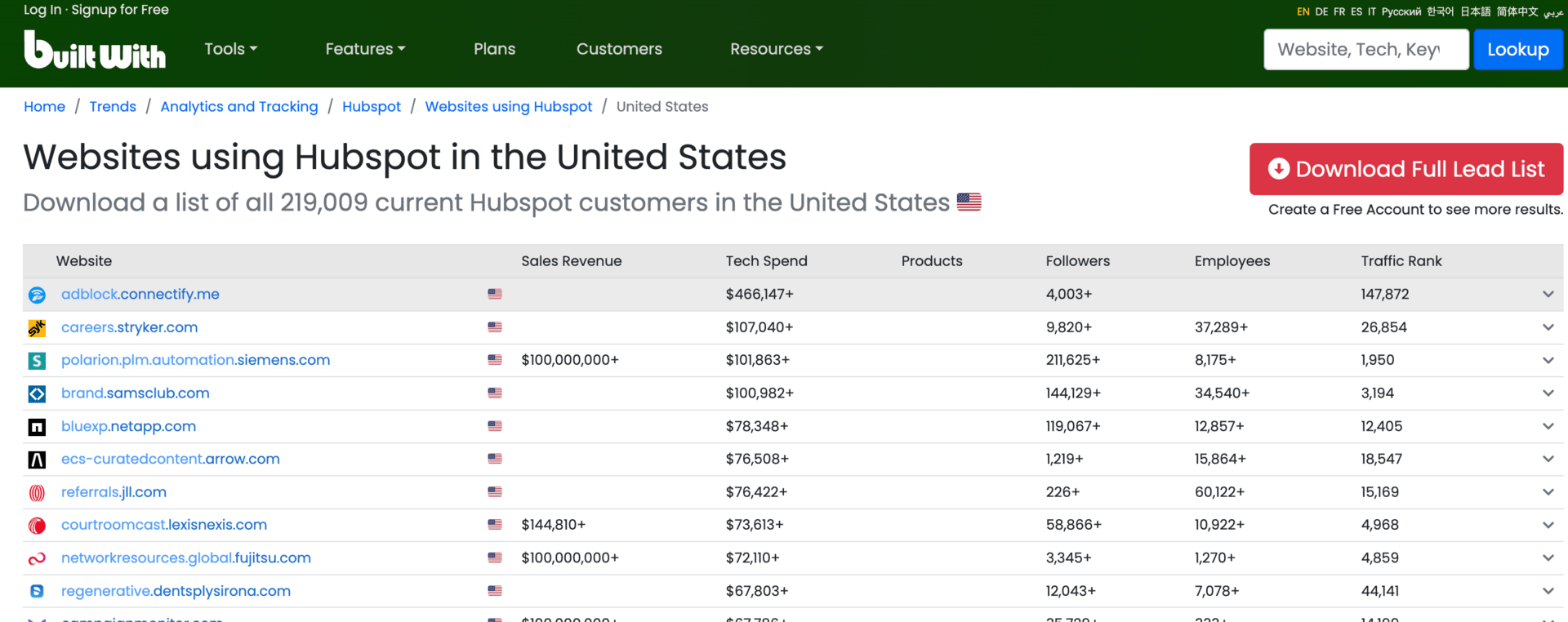
BuiltWith
Here are a few other options:
Wappalyzer – fast script/tag detection with a strong API.
WhatRuns – uncovers smaller tools and plugins with a simple UI.
SimilarTech – market share + site-level tech stack insights.
Netcraft – detects hosting, server stack, and infrastructure signals.
StackShare – self-reported tech stacks for startups (supplemental only).
Method #5: Job Postings
Job postings are one of the cheapest ways to uncover a company's tech stack.
Just search job descriptions for the tools you're targeting.
Two easy ways to do this:
#1: LinkedIn Jobs — I use Clay’s “Find Jobs” feature. It’s free (with a subscription), lets you pull unlimited roles, and you can filter by keywords in the job description.
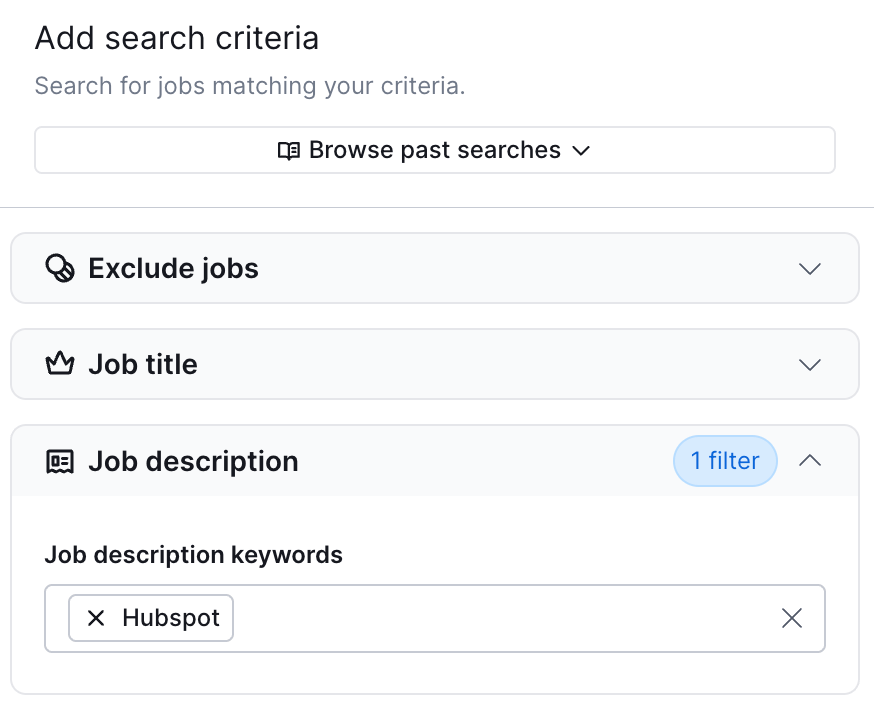
Clay’s “Find Jobs” Feature
#2: Company Career Pages — I use LeadMagic. It scrapes millions of company sites daily and gives you deep filtering options across titles, departments, and descriptions.

LeadMagic
Thanks for reading!
Jed